Oh No! Spikes!!! Manual
EN
Oh No! Spikes!!!

Game manual

Everything you need to know to play Oh No! Spikes!!!, from the basic rules to the game's exact numbers. Use the chapters or search for a word.

Getting started

The essentials for your first round.

How to play

  1. The bird always flies sideways, from one wall to the other.
  2. Tap and hold the screen to fly up; let go to fall.
  3. Every wall you touch is 1 point. The wall you touched hides its spikes and the wall ahead gets new ones.
  4. Touch a spike (on the ceiling, the floor or the walls) and the round is over.

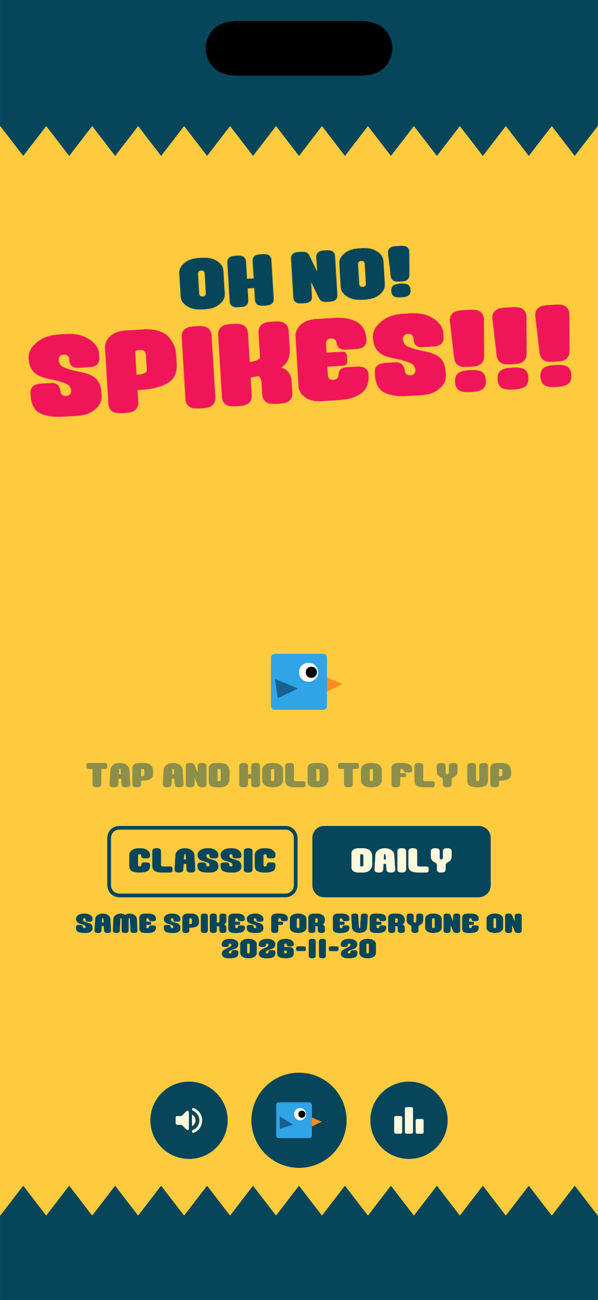
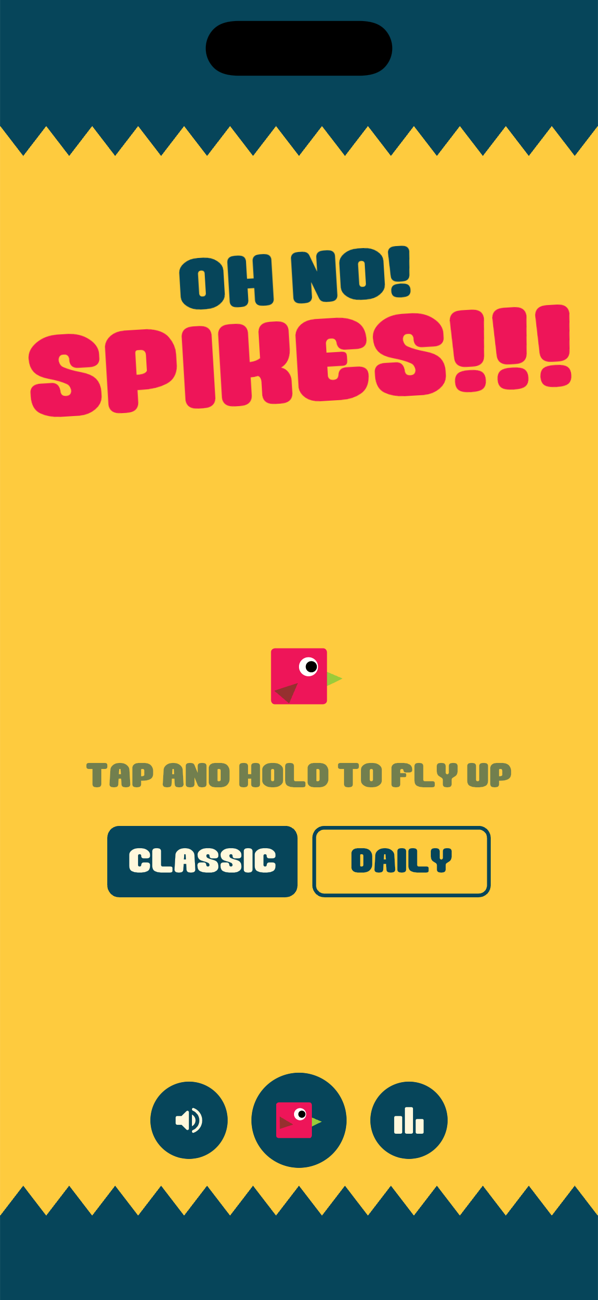
The menu shows “Tap and hold to fly up” below the bird.
The menu

The bird hovers in the middle of the screen, waiting. Tap anywhere outside the buttons to start the round.

  • Classic | Daily: choose the mode. The game remembers your last choice.
  • Sound: turns music and effects on and off.
  • Bird (the middle, biggest button): opens the bird picker.
  • Leaderboard: opens the Game Center leaderboard of the chosen mode (iPhone and iPad only).
  • Privacy: shown where the law requires a choice about ads (for example, in the European Union) and lets you change that choice.
The game menu with the Classic and Daily modes and the sound, bird and leaderboard buttons.

Pause

During a round there is a round pause button in the top-left corner, under the spikes. While paused the game shows “Paused”: tap anywhere to keep flying. If you leave the app or get a call, the game pauses itself.

End of a round

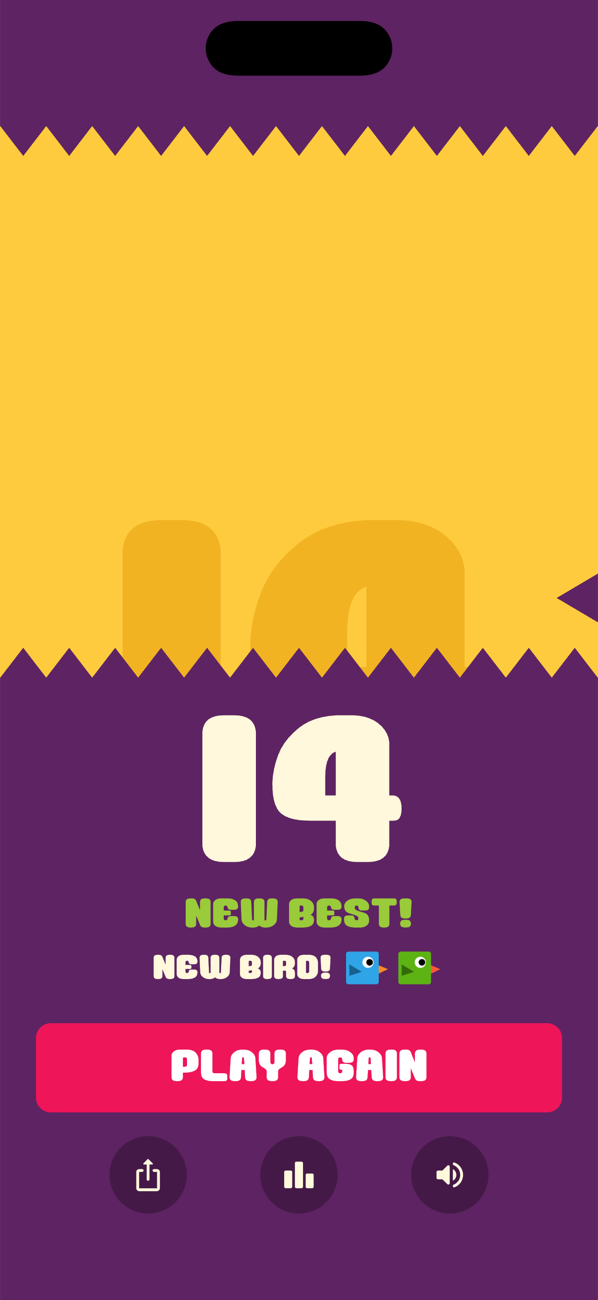
When the bird hits a spike, it tumbles down and the result panel appears:

  • the round's score, in big numbers;
  • “New best!” if you beat your record, or your current best;
  • “New bird!” with the birds this round unlocked;
  • Play again, plus the share, leaderboard and sound buttons.
The result panel with 14 points, a new best and two new birds.

Controls

One finger, anywhere on the screen.

Tap and hold

While your finger is on the screen the bird climbs; when you lift it, gravity pulls it down. Hold longer to climb higher, tap lightly to stay level.

  • Every tap always gives a minimum lift, however quick it is.
  • The climb is capped (only slightly faster than the fall), so the bird isn't thrown into the ceiling.
  • The bird crosses the screen in about 1.3 seconds at first, and faster with every new colour.

Same pace on every screen

The physics always run at 60 steps per second. On an iPhone or iPad with a ProMotion (120 Hz) display, the game looks smoother but doesn't run faster.

The spikes

Ceiling, floor and walls. The ceiling and floor spikes are always there; the wall spikes change at every touch.

Ceiling and floor

A row of spikes covers the ceiling and another the floor, from side to side. Climb too high or fall too low and the round ends.

Wall spikes

  • When you touch a wall, its spikes pull back in and new spikes slide out of the wall you're heading for.
  • A round starts with 1 spike per wall, with one more every 4 walls, up to about a third of the wall (6 spikes on an iPhone; a few more on taller screens).
  • There is always a free gap about 3 times the bird's height, so the wall never closes completely.
  • A spike takes 0.4 seconds to slide out: it is only dangerous once it is more than halfway out.

What counts as a hit

The game is forgiving at the tips: grazing the tip of a spike doesn't count.

  • The bird is tested by its square body, slightly inset; the beak doesn't count.
  • On the wall spikes only the middle part of each triangle counts.
  • On the ceiling and floor, the deadly line is halfway into the teeth, not at the tips.

Scoring and ×3

Every wall is a point; the ×3 gives three more.

Points

  • 1 point for every wall you touch.
  • +3 points for every ×3 you grab.

The score is shown in big numbers in the background, behind the bird.

The ×3 coin

After every wall there is a 1 in 5 chance of a ×3 coin appearing somewhere in the air, if there isn't one already. It stays until you grab it or the round ends. To grab it, fly through it: “+3” pops up and you hear the bonus sound.

Sometimes the ×3 is far from the next wall's gap. Is it worth the risk?

Best score

The game keeps your best score on the device. When you pass it during a round, “New best!” appears with its own sound and you keep playing. (On your very first round there is no record to beat, so the banner only shows from the second round on.)

Colours and speed

The spikes, the ceiling and floor bands and the iPad side walls change colour as your score climbs. The sky always stays mustard.

The 8 levels

A new level every 5 points up to 20, then every 10. Each level also makes the bird 3.5% faster, up to a maximum of +28%. You hear a chime and the bands flash for a moment.

ColourFromSpeed
Teal (the original)0normal
Indigo5+3.5%
Plum10+7%
Forest15+10.5%
Rust20+14%
Navy30+17.5%
Violet40+21%
Graphite50+24.5%

At 60 points the colours start over at teal, and from then on the speed stays at its maximum (+28%). They keep changing every 10 points.

Birds

8 birds, all with the same rules: only the look changes.

Unlocking and choosing

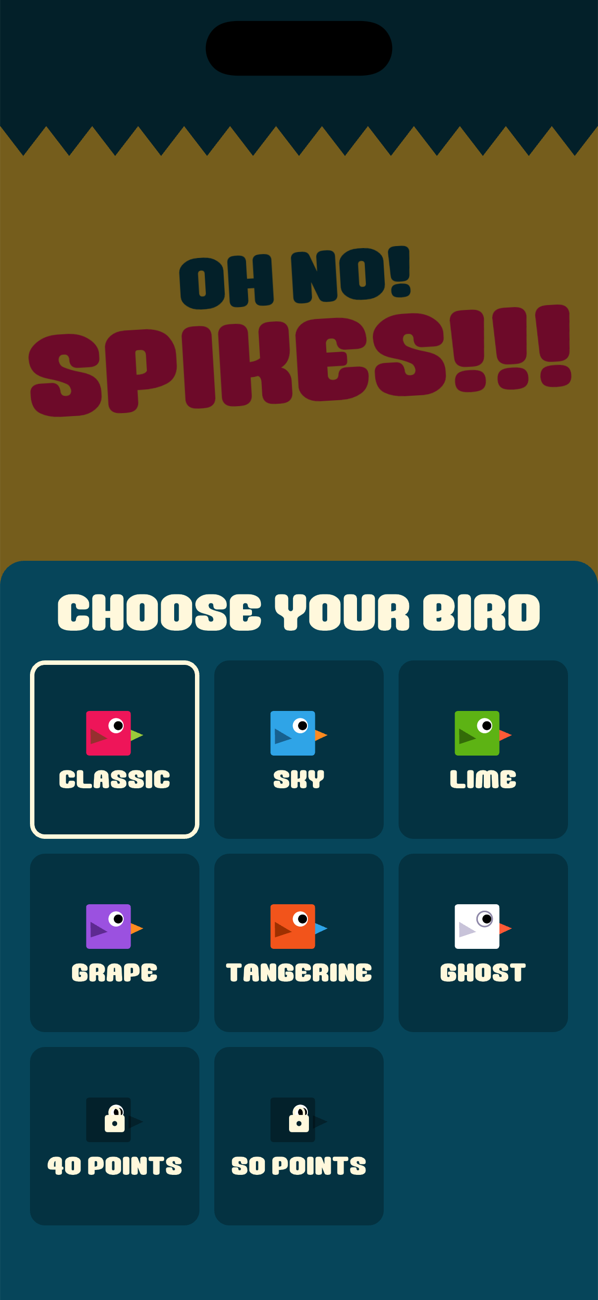
Each bird unlocks by reaching a score in a single round, in either mode (the daily challenge counts too). The milestones are the same as the colours. To choose, tap the bird button on the menu; the ones still locked show a padlock and the points they need.

The bird picker screen.

The 8 birds

BirdPoints in one round
Classicfrom the start
Sky5
Lime10
Grape15
Tangerine20
Ghost30
Ninja40
Mint50

When it hits a spike, the bird breaks into little squares of its own colours.

Daily challenge

One spike pattern a day, the same for every player.

How it works

  • Choose Daily on the menu. Below it you'll see “Same spikes for everyone on” and the date, for example 2026-11-22.
  • The day is counted in UTC: the challenge changes at midnight UTC, at the same moment worldwide.
  • The side the bird sets off towards and each wall's spikes repeat on every attempt that day: the 5th wall always has the same spikes, whatever path you take.
  • Play it as many times as you like.
The menu with Daily mode selected and the challenge date.

Daily best and leaderboard

The daily challenge has its own best score, which goes back to zero when the day changes, and its own Game Center leaderboard, which also resets at midnight UTC. Your classic best is not affected.

Sharing

On the result panel, the share button opens the system share sheet with a message like: “I scored 23 in the 2026-11-22 daily challenge of Oh No! Spikes!!! Can you beat it?” In the classic mode the message has no date.

Game Center and achievements

On iPhone and iPad, when you're signed in to Game Center.

Leaderboards

  • Classic: your all-time best in the classic mode (the same leaderboard as earlier versions of the game, with the old records).
  • Daily challenge: the best score of the day, reset at midnight UTC.

The leaderboard button opens the one for the mode chosen on the menu. Without Game Center the game works normally and the button is hidden.

The 10 achievements

  • 5 pointsScore 5 in one round.
  • 10 pointsScore 10 in one round.
  • 15 pointsScore 15 in one round.
  • 20 pointsScore 20 in one round.
  • 30 pointsScore 30 in one round.
  • 40 pointsScore 40 in one round.
  • 50 pointsScore 50 in one round.
  • One ×3Grab a ×3.
  • Three ×3Grab three ×3 in the same round.
  • Daily challengeFinish a daily challenge round.

The score achievements match the colours and the birds. They are sent when the round ends.

Screens, sound and accessibility

From iPhone SE to the largest iPad Pro.

iPhone and iPad

  • On iPhone you play in portrait, with the game filling the whole screen, including around the notch or Dynamic Island.
  • On iPad you play in any orientation. In landscape, the arena sits in the middle in portrait proportions, with side walls in the spike colour.
  • It works in Split View and Stage Manager: if the window changes size, the game adapts without losing the round.
  • The bird, the spikes and the ×3 are drawn as vectors, sharp on any screen.

Sound and haptics

  • Music and 7 sound effects: the tap, the wall, the ×3, the crash, the new colour, the new best and the unlocked bird.
  • Sound respects the iPhone's silent switch and the sound button on the menu.
  • Haptics when you touch a wall, grab a ×3, reach a new colour, beat your best and crash.

Accessibility and languages

  • With Reduce Motion turned on, the screen no longer shakes on crashes and the bands don't flash on a new colour.
  • Buttons have VoiceOver labels.
  • The game is in English and Portuguese: it picks Portuguese when that is the device's first language.

Ads and privacy

Free, no in-app purchases and no account.

Ads

The game is free. A short ad may appear after a round ends, never while you're flying, and at most one every two and a half minutes (150 seconds): rounds that end sooner carry on without an ad. There are no in-app purchases.

Your choices

  • In the European Union, the UK and Switzerland, the game asks whether ads may be personalised. You can change your answer with the Privacy button on the menu.
  • On iPhone and iPad the system also asks whether you allow tracking. You can change it in Settings → Privacy & Security → Tracking.
  • If you say no, the game works just the same.

What stays on your device

There is no account, no server of ours and no analytics. Your best score, the daily best, the chosen bird, the mode and the sound setting are stored only on your device. If you're signed in to Game Center, scores and achievements also go to Apple's Game Center. More in the privacy policy.

What's new in version 2.0

Oh No! Spikes!!! came out in 2015. Version 2.0 was rebuilt from scratch and arrives as a free update. The classic Game Center leaderboard is the same, with the records of everyone who played before.

What changed

AreaBeforeIn 2.0
Screenstwo fixed sizesfits every iPhone and iPad, with notch and Dynamic Island
iPadportrait onlyevery orientation, Split View and Stage Manager
Speedtwice as fast on a 120 Hz screenthe same on every screen; rises with each colour
Spikescould close the whole wallthere is always a free gap
Tapa quick tap barely liftedevery tap gives a minimum lift
Collisionswith the whole bandwith the spike tips, with some tolerance
Pausenonepause button and automatic pause
Progressionbest score only8 colours, 8 birds, 10 achievements, daily challenge
Sound3 sounds8 sounds, haptics and particles
AdsAdMob, iAd and Chartboosta single short ad between rounds

Tips

To get past 20, past 30… and all the way to Mint.

Play better

  • Stay near the middle of the screen between walls: from there you reach any gap faster.
  • Look at the wall ahead as soon as you turn around: the new spikes start sliding out straight away.
  • Prefer several short taps to one long hold; holding the finger down speeds up the climb quickly.
  • Don't chase every ×3: if the coin is on the opposite side to the gap, leave it for the next pass, because it waits for you.
  • When the colour changes the bird speeds up: start correcting your height a little earlier.
  • In the daily challenge each wall always has the same spikes: learn the day's pattern in your first attempts.